
Multiview & layouts
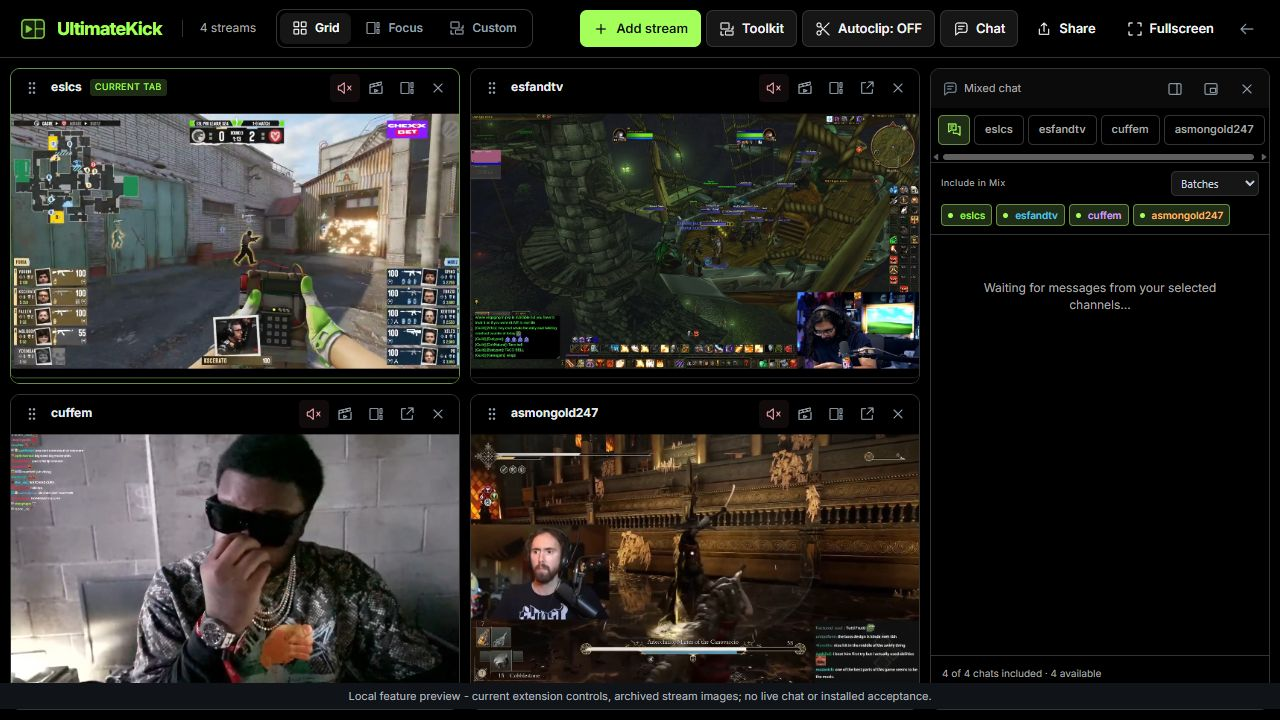
Build a multi-stream workspace with Grid, Focus or Custom and control each stream independently.
Find it in: Workspace/Grid / Focus / Custom
Add and manage streams
Choose Add stream
Search for a channel or enter its name. Discovery cards, Favorites and Following also have Add to Multiroom actions.
Use the tile header
Mute audio, open a native clip creator, open the channel or remove the tile. Controls act on that tile, not every stream.
Keep the right streams
Remove a tile you no longer need. A checkmark on Add to Multiroom means that channel is already in this workspace.
Choose the right layout
| Layout | Best for | How to use it |
|---|---|---|
| Grid | Watching several streams equally | Give each stream a tile. Add or remove channels as needed. |
| Focus | Following one main stream | Select a preview to make it the main stream. Scroll the preview rail for more channels. |
| Custom | A setup you arrange yourself | Move and resize tiles, using snapping to line them up. |
 Enlarge
Keep chat and audio intentional
Use Chat's channel tabs for one native conversation. Mix combines only the source chats you include. Muting a stream does not remove its chat from Mix or stop an explicitly monitored Autoclipping chat.
Clips and fullscreen
The tile's clip action opens Kick's native editor above the workspace. Finish with Kick's Publish or Cancel. The other streams stay mounted. Workspace fullscreen and player fullscreen are separate controls; use the one that matches what you want to enlarge.
Save it and keep it smooth
Save frequently used channel combinations in Sessions. Optimization chooses lower quality for smaller streams; adjust its thresholds rather than downloading every preview at the main stream's resolution.
Why is a preview quieter or lower quality?
Additional streams start muted, and Focus optimization defaults to lower-quality previews. These are separate controls.
Does removing a tile stop its live tools?
Tools tied to that player are released. A removed or closed chat is no longer an actively monitored source. Keep required source chats open.
Written for version 1.1. Some controls may be unavailable in an earlier installed release. See release notes.