
Favorites, filters & ad blocking
Make browsing useful with richer Favorites, local discovery filters, optional hover previews and careful ad-blocking controls.
Find it in: Toolkit/Discovery / General
Keep favorite channels close
Add a favorite
Use a discovery card's star or Discovery > Favorite channels.
Expand or collapse Favorites
Its heading toggles the section. Live Favorites sort by available viewer totals, then offline channels. Show more / Show less controls visible rows. Avatars, categories and the inset plus follow the sidebar layout; the plus adds the channel to Multiroom.
Search loaded Following
Show search in Following filters names or categories. Use Show more for additional channels. Refresh following list updates a supported signed-in list. Automatically refresh following list starts off and checks about once a minute while visible. Failures retain the last list and show retry status.
Offline Favorites remain useful links. Missing metadata uses a fallback rather than invented viewer or chatter counts.
Read counts and hover previews
Sidebar hover previews use thumbnails by default. Choose Playable live preview and Small or Large in Discovery for a single muted official Kick player after a short pointer dwell. Keyboard focus alone starts no media: use Play preview. Stop, Escape, departure, hiding or disable releases it. Blocked/offline playback retains the thumbnail and Open channel. Extra playback uses bandwidth.
Hide what you do not want to browse
Use local channel, category and visible-tag lists. Card actions can hide a known channel/category. Filters affect your discovery view; they do not close an already-open stream or moderate another account.
Show stream actions on right-click adds native-card and sidebar actions for opening, adding, favoriting and hiding. Shift + F10 opens the menu on a focused channel; Shift + right-click preserves the browser menu.
Optional blocklist subscriptions
Choose a trusted public HTTPS JSON list
Enter a title and URL in Discovery > Blocklist subscriptions. There is no default list.
Grant only its origin
Enable a list deliberately and choose its refresh interval. New imported subscriptions start paused.
Inspect refresh status
Malformed or unavailable replies preserve the last successful snapshot. Pause or Remove stops applying that list.
{
  "channels": ["example_channel"],
  "categories": ["example category"],
  "tags": ["example tag"]
}
Enable optional ad blocking
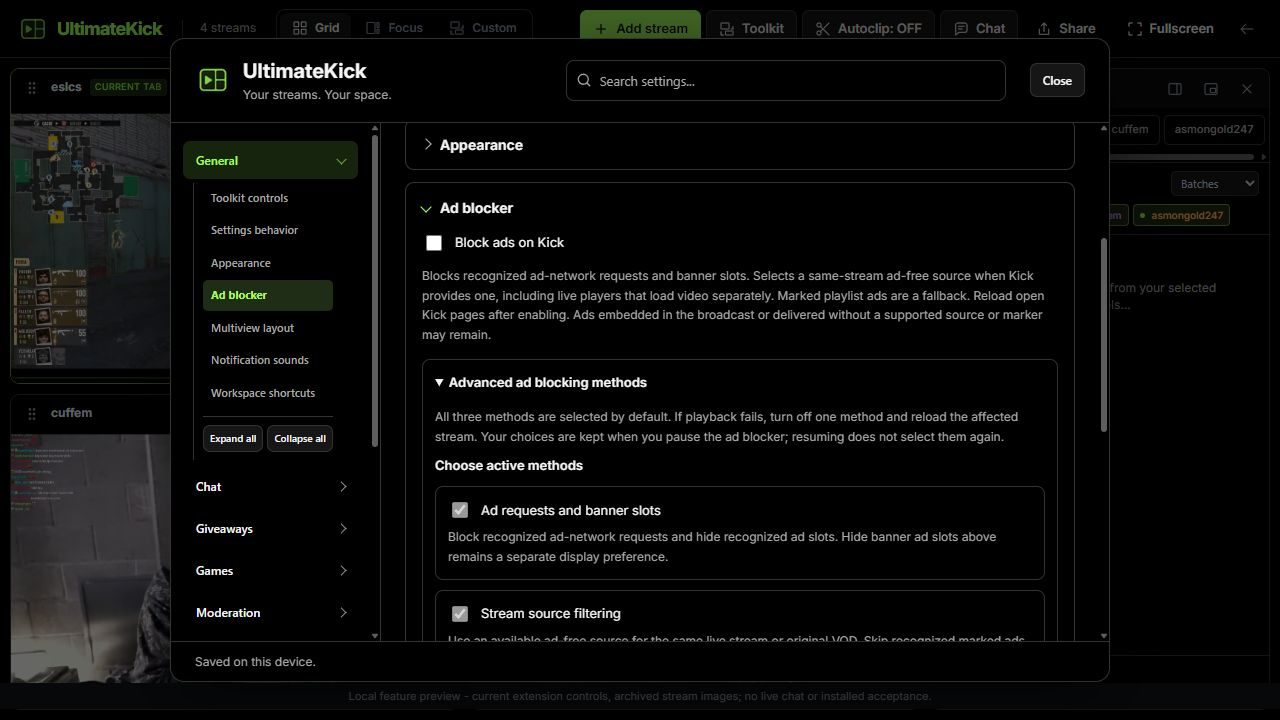
Open General > Ad blocker
Enable Block ads on Kick. It starts off and pauses when enhancements are disabled.
Reload open Kick pages
The preference covers matched main and secondary Kick players.
Check the layer status
Advanced ad blocking methods offers independent Ad requests and banner slots, Stream source filtering and Native live player filtering choices. All three start selected; the master starts off. Inspect each method, disable one and reload the affected stream when investigating a problem. A selected source or marker count is not proof that an ad was removed.
 Enlarge
Common questions
Why is a category hide action missing?
The current card must expose a known category. Unknown tags/categories cannot be inferred.
Does hiding a gift or banner replace video ad blocking?
No. Display cleanup and the supported player/network paths address different surfaces.
Do subscriptions upload my hidden channels?
No. They download the selected public list. The host sees ordinary network connection information, not your local filter list.
Written for version 1.1. Some controls may be unavailable in an earlier installed release. See release notes.